
Authentication
How to authenticate API requests to OpenModel
API Key
All API requests require an API key for authentication. You can create and manage API keys in the OpenModel Console.
API keys start with the om- prefix.
Creating an API Key
- Go to console.openmodel.ai/api-keys and click Create Key.
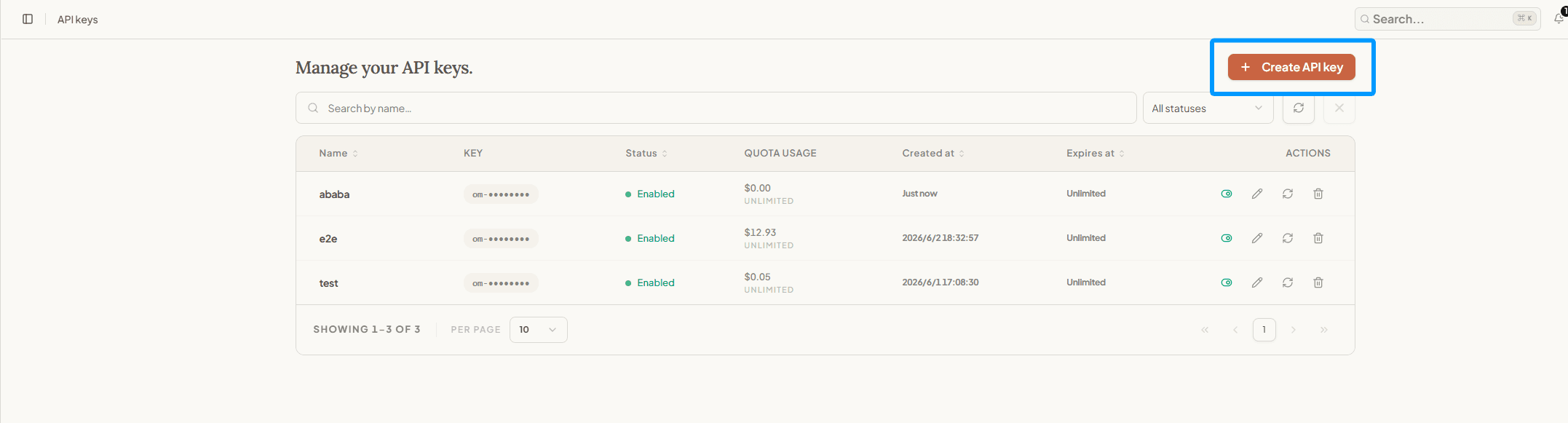
- Configure the key name, quota (optional), expiration, and reset cycle, then click Create.

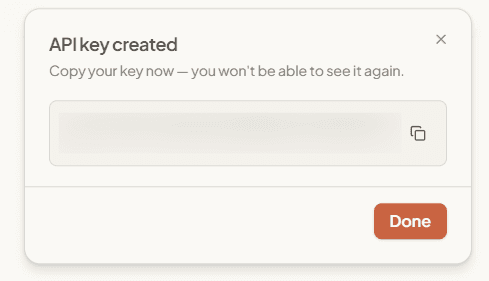
- Once created, a dialog will display your new key. Click Copy and store it securely — the full key will not be shown again. Never share your API key with anyone.
Choosing a Quota
The quota is a spending cap for this API key, measured in USD. It is separate from your account balance and request rate limits.
| Setting | Behavior |
|---|---|
| Leave the quota blank | The key is shown as Unlimited and has no per-key spending cap. Your account balance and applicable rate limits still apply. |
| Set a quota without a reset period | Usage accumulates until the quota is reached. Increase or clear the quota to use the key again. |
| Set a daily, weekly, or monthly reset period | Usage resets at the start of each period at 00:00 UTC. |
Choose a finite quota for project-specific or shared keys to limit unexpected spending. Use Unlimited only when the key is already protected by other controls and you intend it to draw from the full account balance.
Authentication by API Protocol
Different API protocols use different authentication headers, matching their upstream provider conventions:
Responses API
Pass the API key in the Authorization header with a Bearer prefix:
curl https://api.openmodel.ai/v1/responses \
  -H "Authorization: Bearer om-your-api-key" \
  -H "Content-Type: application/json" \
  -d '{"model": "gpt-5.4", "input": "Hello"}'
Anthropic Format
Pass the API key in the X-Api-Key header (preferred) or the Authorization: Bearer header (fallback):
curl https://api.openmodel.ai/v1/messages \
  -H "X-Api-Key: om-your-api-key" \
  -H "Content-Type: application/json" \
  -H "anthropic-version: 2023-06-01" \
  -d '{"model": "claude-sonnet-4-6", "max_tokens": 1024, "messages": [{"role": "user", "content": "Hello"}]}'
Gemini Format
Pass the API key as the X-Goog-Api-Key header (preferred) or the key query parameter (fallback):
curl https://api.openmodel.ai/v1beta/models/gemini-3.5-flash:generateContent \
  -H "X-Goog-Api-Key: om-your-api-key" \
  -H "Content-Type: application/json" \
  -d '{"contents": [{"parts": [{"text": "Hello"}]}]}'
Summary
| Format | Header | Fallback |
|---|---|---|
| OpenAI | Authorization: Bearer om-xxx | — |
| Anthropic | X-Api-Key: om-xxx | Authorization: Bearer om-xxx |
| Gemini | X-Goog-Api-Key: om-xxx | ?key=om-xxx |
Security Best Practices
- Never expose API keys in client-side code — Keep keys on the server side only.
- Use environment variables — Store keys in
OPENMODEL_API_KEYenvironment variables, not in source code. - Rotate keys regularly — Delete unused keys and create new ones periodically.
- Set quotas intentionally — Use a finite per-key spending cap for projects that need cost isolation. Leaving it blank means unlimited per-key spending, not free usage.
- Set expiration — Enable key expiration for temporary or project-scoped access.